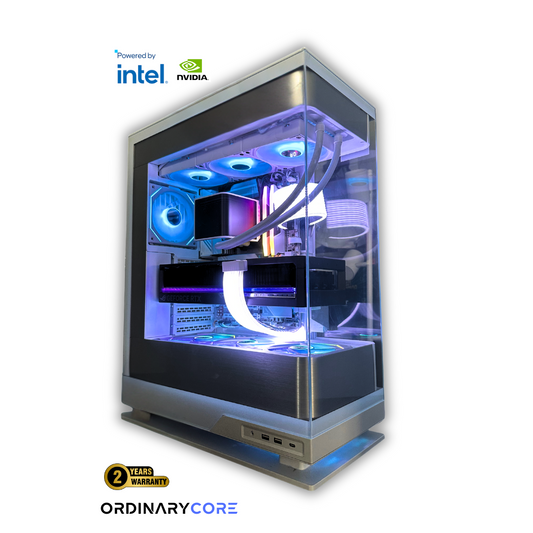

RTX 5070 Ti Build 2026: Best Value Custom Gaming PC in Canada
Sadip RahmanShare
An RTX 5070 Ti build sits in an awkward but useful spot: too capable for esports-only rigs, not quite the uncompromised 4K machine that a 5080 or 5090 promises. In practice, it's a 1440p high-refresh card that stretches comfortably into entry-level 4K. The card is not the hard part. The hard part is not wasting money on everything around it.
We quoted a Toronto client last month who wanted a 5070 Ti paired with a $500 motherboard and a 360 mm AIO for a system that was going to game at 1440p and nothing else. We talked him out of both. The money went into a better PSU and a second NVMe drive instead, and the build performs identically to the fantasy version he walked in with.
That's the whole story of this GPU class in 2026. The 5070 Ti is a fixed quantity. Your budget decisions happen everywhere else, and most people get them backwards.
What the RTX 5070 Ti Actually Is
According to TechPowerUp's GPU database, the RTX 5070 Ti ships with 16 GB of GDDR7 on a 256-bit bus and carries a 300 W board power rating. NVIDIA's recommended power supply for the card is 750 W, per Newegg's June 2026 listing. That 16 GB of VRAM is the number that matters most here - it's enough headroom for 1440p ultra textures and most 4K scenarios without the frame-time hitching that 12 GB cards start showing in newer titles.
Pricing is where things get messy. Newegg's marketplace data shows the card frequently selling above MSRP, with direct-stock models around US$1,049.99 and marketplace offers reaching US$1,299 to US$1,420. Canadian retail pages at Best Buy and elsewhere confirm the card is actively stocked here, but stable street pricing shifts week to week. Check Canada Computers, Memory Express, and Newegg.ca before you commit, because the GPU's street price will swing your total more than any other single decision.
The CPU: X3D or Nothing (Mostly)
Build guides keep landing on the same two chips for this card: the Ryzen 7 7800X3D and the 9800X3D. There's a reason. When the GPU is this strong, CPU limits start showing up at 1080p and in some 1440p scenarios, and X3D's stacked cache is the cleanest fix for frame-time consistency in gaming-heavy workloads.
Micro Center's 2026 5070 Ti guide pairs the card with a 7800X3D on an ASUS B650-A ROG Strix board, and that pairing is deliberately unexotic. The card does not need a premium platform. It needs a modern AM5 CPU with strong cache, a solid B650 board, and DDR5 that isn't slow.
Pro Tip: If you play at 4K almost exclusively, the gap between a 7800X3D and a cheaper AM5 chip narrows because you're GPU-bound most of the time. The X3D premium is easiest to justify for high-refresh 1440p players, not people locked at 60 fps 4K.
Memory and Storage: The Boring Sweet Spot
Every credible build list converges on 32 GB of DDR5, usually in the DDR5-6000 range. That's the correct answer for gaming in 2026. Going to 64 GB buys you nothing a gaming workload can use, and dropping to 16 GB means you're already fighting for headroom the moment you alt-tab into a browser with 40 tabs open.
Storage clusters around 1 TB to 2 TB NVMe. Here's the honest tradeoff: 1 TB keeps the budget tight, but modern game installs are brutal. A single AAA title can eat 150 GB, and you'll be uninstalling to make room within months. For a 5070 Ti build meant to last, 2 TB is the more comfortable default, and NVMe pricing in Canada has stayed reasonable enough that the jump isn't painful.
PSU and Cooling: Where People Overspend and Underspend
The safest power target for this class is 750 W minimum, with 850 W giving comfortable headroom for a modern gaming CPU and the transient load spikes that Blackwell cards can throw. This puts you squarely in ATX 3.x / PCIe 5.x territory - not a generic older 650 W unit you had lying around. The Micro Center build uses an MSI MAG A850GL PCIe5 850 W supply, which is a sensible reference point.
Cooling is where the overspending happens. A 7800X3D is not a thermal monster. It's a 120 W-class chip that runs cooler than most Intel equivalents, and a quality air cooler or a 240 mm AIO handles it comfortably in a case with real airflow. The 360 mm AIO you see in flashy build photos adds cost and a failure point without buying you meaningful gaming performance on this platform.
If you're putting $500 into a motherboard and a top-tier liquid cooler on a gaming-only 5070 Ti rig, you're solving a problem you don't have. That money belongs in the GPU, the PSU, or a second SSD.
What a Reasonable Canadian Build Costs
Community parts lists give us a working range. One Canadian build list came in at CAD 2,638.91 for a 5070 Ti system with a 7800X3D-class CPU, 32 GB of RAM, 2 TB of storage, and an 850 W PSU. A separate discussion-thread build landed near CAD 2,700 before tax with similar parts. Treat these as directional, not gospel - they're community configs, not audited benches, and the GPU street price moves the whole number.
| Component | Recommended Target | Notes |
|---|---|---|
| GPU | RTX 5070 Ti - 16 GB GDDR7, 300 W | Street price varies weekly; check CAD retailers |
| CPU | Ryzen 7 7800X3D or 9800X3D | X3D cache smooths frame times at high refresh |
| RAM | 32 GB DDR5-6000 | The value floor; more buys nothing for gaming |
| Storage | 2 TB NVMe | 1 TB works but fills fast with modern installs |
| PSU | 850 W ATX 3.x / PCIe 5.x | 750 W is the floor; 850 W for transient headroom |
| Cooling | Quality air or 240 mm AIO | 360 mm AIO is overkill for this CPU |
Quick Win: Before buying anything, price the GPU alone at three Canadian retailers on the same day. If the card is sitting well above MSRP that week, wait or shift budget away from motherboard and cooler tiers to keep the total sane.
The One Thing That Determines Value
The 5070 Ti's street price decides whether this build is a good deal or a mediocre one. Everything else in the platform is stable and easy to standardize: mainstream AM5, 32 GB of DDR5, an 850 W quality PSU, and a case that moves air. When the GPU is priced aggressively, the whole build feels smart. When it's inflated, no amount of spending elsewhere fixes the value problem - it just makes it worse.
Frequently Asked Questions
Do I need a 7800X3D or can I use a cheaper AM5 CPU?
For high-refresh 1440p, get the X3D. Cheaper AM5 chips work fine if you're GPU-bound at 4K, but at 144 Hz-plus the X3D's cache is what keeps your 1% lows from tanking in CPU-heavy titles.
Is 850W overkill for an RTX 5070 Ti?
No, it's the sweet spot. NVIDIA recommends 750 W minimum, and the extra 100 W absorbs Blackwell's transient spikes without your PSU straining. It also leaves room if you ever upgrade the GPU later.
Should I get 1 TB or 2 TB of storage?
Get 2 TB if you can. A 1 TB drive holds roughly six to eight modern AAA installs before you're deleting games to fit new ones, and NVMe pricing in Canada makes the upgrade cheap enough to skip that headache.
Building One of These in Canada?
The tricky part of a 5070 Ti build isn't picking parts from a list. It's timing the GPU purchase against volatile Canadian pricing and making sure the rest of the platform is balanced for how you actually play, not for how a build photo looks. That's the part we handle every day for gamers across Ontario and the rest of the country - specifying a system that spends money where it moves your frame rate and nowhere else.
If you want a 5070 Ti system built and validated rather than guessed at, book a free consultation and we'll spec it around your resolution, refresh rate, and current Canadian component pricing.
Explore More at OrdinaryTech: See our ready-to-ship custom gaming PCs, learn more about our custom gaming build services, or read through client success stories from builds we've delivered.
Written by Sadip Rahman, Founder & Chief Architect at OrdinaryTech - a Toronto-based custom PC company that has built over 5,000 systems for gamers, creators, and businesses across Canada.